> ## Documentation Index
> Fetch the complete documentation index at: https://ileolami.mintlify.site/llms.txt
> Use this file to discover all available pages before exploring further.
# Quickstart
> Learn how to get your API Key and Session ID
## Set Up Your API Key and Bearer Token
Follow these quick steps to obtain your API Key:
### 1. Registration
**Please note:** The API registration process is not optimized for mobile devices. Use a desktop computer and browser for the best experience.
Before receiving your API key, you’ll need to agree to our terms of use. You can read them [here](https://www.themoviedb.org/documentation/api/terms-of-use).
Go to [TheMovieDB](https://www.themoviedb.org/)
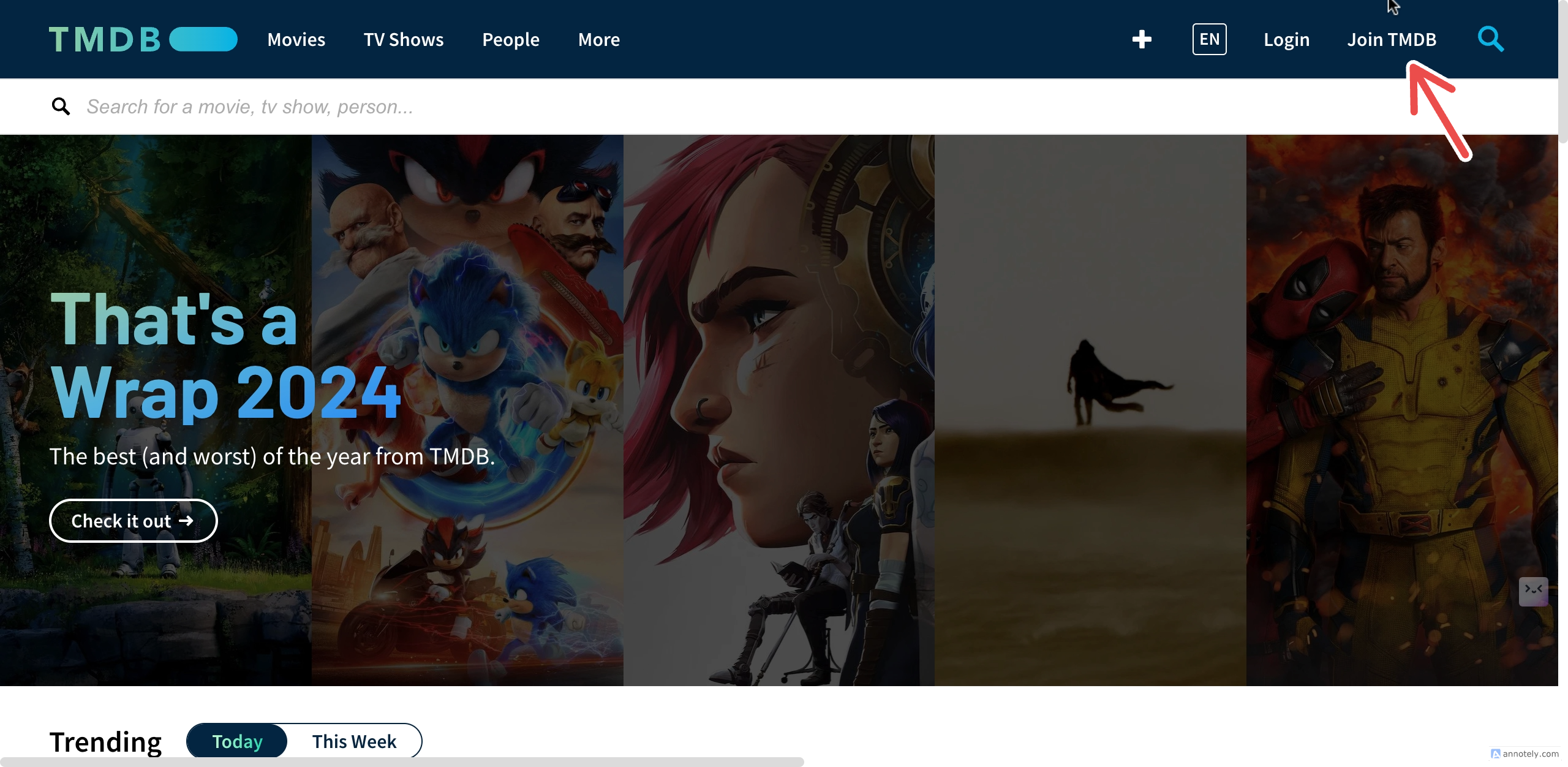 TMDB will send you a mail to confirm your address. Click on `ACTIVATE MY ACCOUNT`
Once your email is verified, re-enter the username and password you used for registration.
If you didn’t get an email, you can request a resend.
TMDB will send you a mail to confirm your address. Click on `ACTIVATE MY ACCOUNT`
Once your email is verified, re-enter the username and password you used for registration.
If you didn’t get an email, you can request a resend.
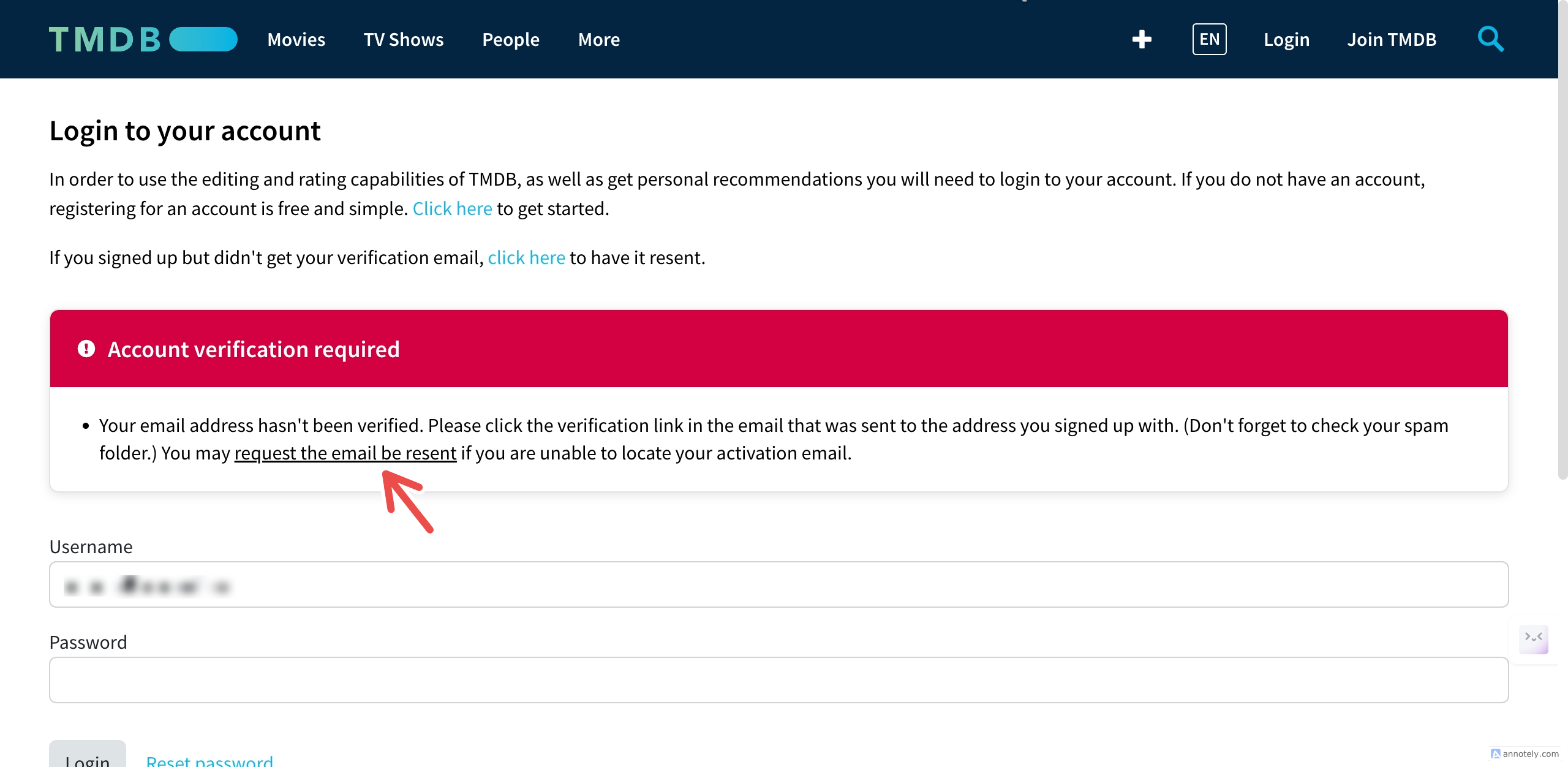 If you try again and still don’t receive a confirmation email, your email address might be incorrect. Please restart the registration process and ensure you enter the correct email address.
### 2. Generate Your API Key
Once logged in, click on your profile icon (the icon with the first letter of your username).
Click on `Settings`
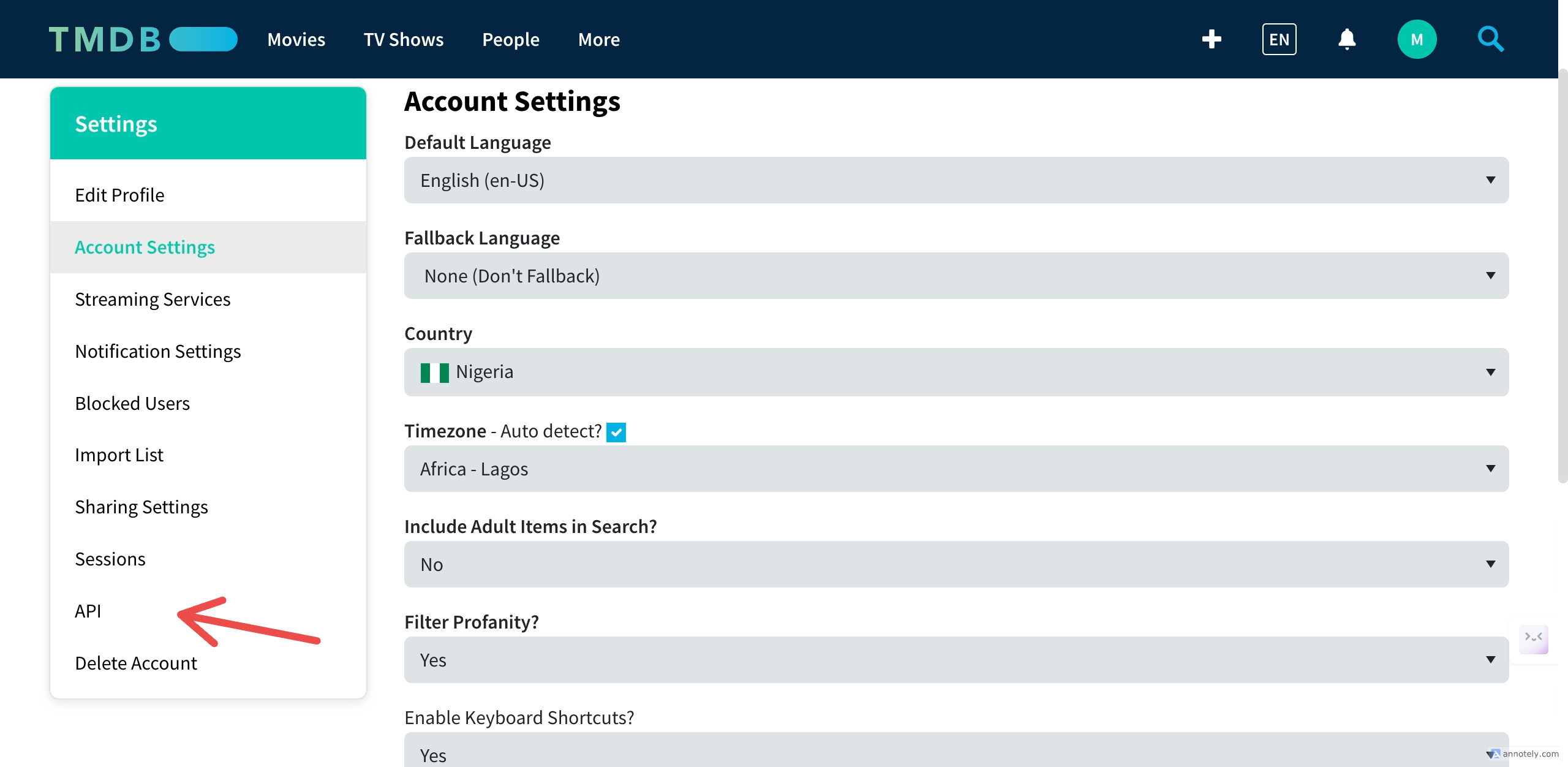
On the sidebar, scroll down and click on `API`
If you try again and still don’t receive a confirmation email, your email address might be incorrect. Please restart the registration process and ensure you enter the correct email address.
### 2. Generate Your API Key
Once logged in, click on your profile icon (the icon with the first letter of your username).
Click on `Settings`
On the sidebar, scroll down and click on `API`
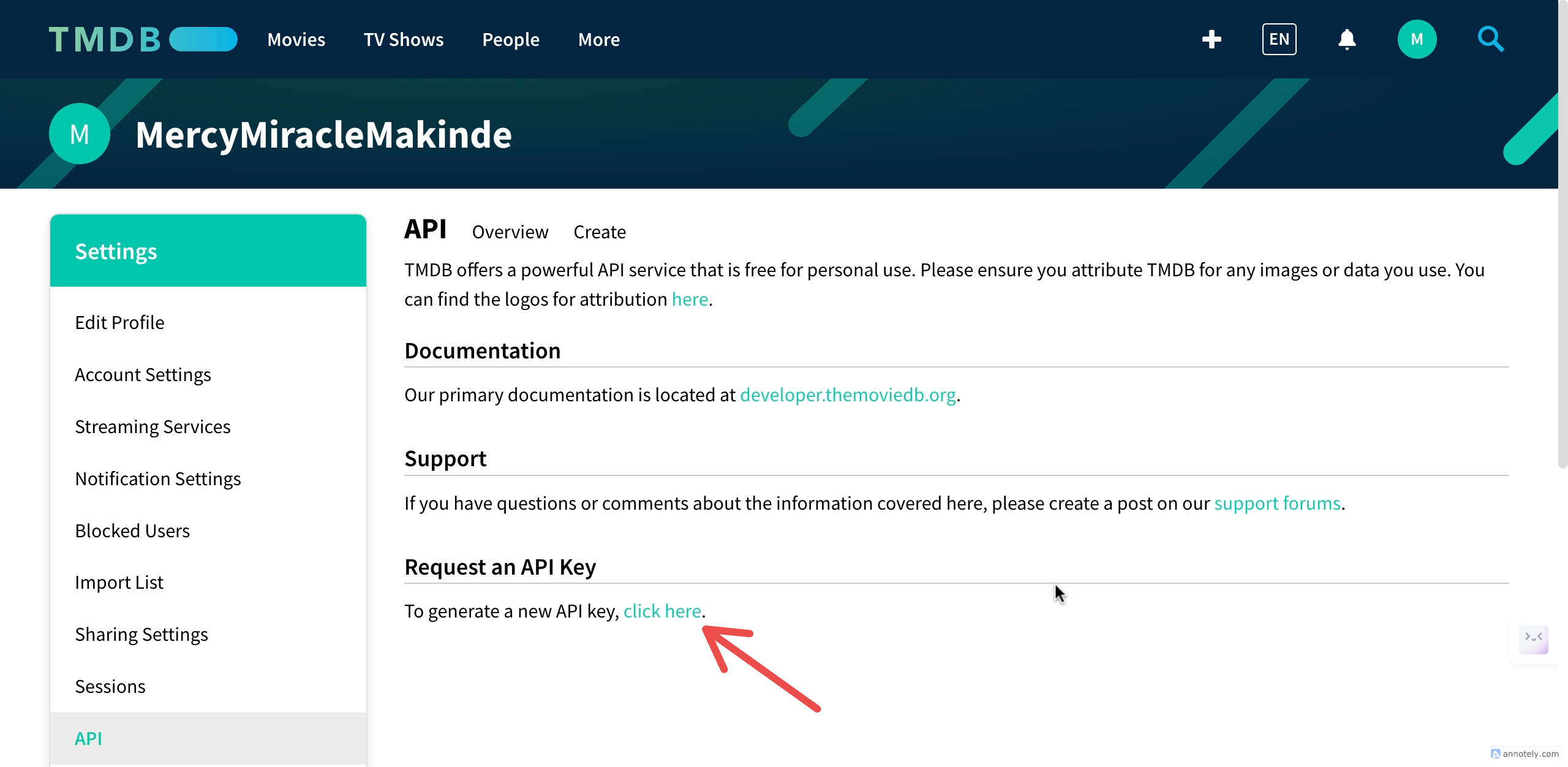
 Under `Request an API Key`, click on `click here` to generate an API key.
 Choose the type of API key you want to register for and accept the terms of use.
Fill in your application details and click on `Submit`.
After a successful submission, you’ll be redirected to another page.
Scroll down to find your `API Read Access Token` and `API Key`.
Choose the type of API key you want to register for and accept the terms of use.
Fill in your application details and click on `Submit`.
After a successful submission, you’ll be redirected to another page.
Scroll down to find your `API Read Access Token` and `API Key`.
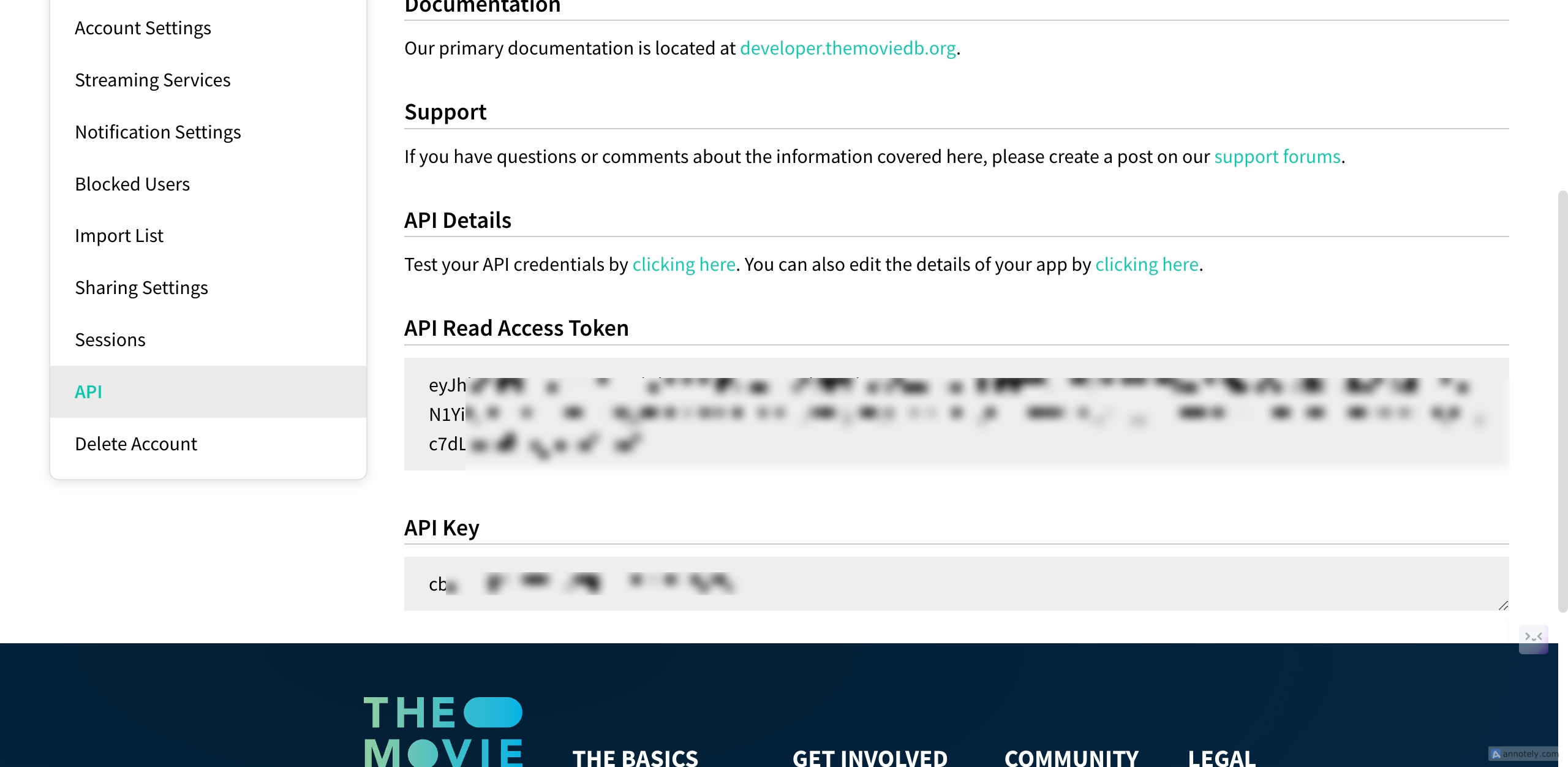 Do not share these details with anyone.
You can always copy your [API Key](https://www.themoviedb.org/settings/api) from your account settings page.
***
## How to create session id?
Please check out [versioning](/the-basics/versoning) and [session ID](/parameters/session-id) to have a better undestanding
### Creating a Session ID(Version 3)
First, request a new token.
```shell theme={null}
curl --request GET \
--url https://api.themoviedb.org/3/authentication/token/new \
--header 'Authorization: Bearer {ACCESS_TOKEN}' \
--header 'accept: application/json'
```
This temporary token allows you to ask the user for permission to access their account.
This token will automatically expire after 60 minutes if unused.
With a request token in hand, approve it using this URL:
```shell theme={null}
https://www.themoviedb.org/authenticate/{REQUEST_TOKEN}
```
Or, use this URL with a `redirect_to` parameter:
```shell theme={null}
https://www.themoviedb.org/authenticate/{REQUEST_TOKEN}?redirect_to=http://www.yourapp.com/approved
```
Once approved, the user will be redirected to your specified URL or to the `/authenticate/allow` path on TMDB.
If they aren’t redirected, the page will include an `Authentication-Callback` header, containing the API call for the next step.
By calling the new session method with the approved request token from step 2, you’ll receive a new `session_id`.
Treat this key like a password—keep it secret.
***
### Creating Session ID(Version 4)
Request a [request token](https://developer.themoviedb.org/v4/reference/auth-create-request-token) with your access token.
Authorize it using this URL:
```shell theme={null}
https://www.themoviedb.org/auth/access?request_token={REQUEST_TOKEN}
```
Generate [an access token](https://developer.themoviedb.org/v4/reference/auth-create-access-token) with your request token.
Do not share these details with anyone.
You can always copy your [API Key](https://www.themoviedb.org/settings/api) from your account settings page.
***
## How to create session id?
Please check out [versioning](/the-basics/versoning) and [session ID](/parameters/session-id) to have a better undestanding
### Creating a Session ID(Version 3)
First, request a new token.
```shell theme={null}
curl --request GET \
--url https://api.themoviedb.org/3/authentication/token/new \
--header 'Authorization: Bearer {ACCESS_TOKEN}' \
--header 'accept: application/json'
```
This temporary token allows you to ask the user for permission to access their account.
This token will automatically expire after 60 minutes if unused.
With a request token in hand, approve it using this URL:
```shell theme={null}
https://www.themoviedb.org/authenticate/{REQUEST_TOKEN}
```
Or, use this URL with a `redirect_to` parameter:
```shell theme={null}
https://www.themoviedb.org/authenticate/{REQUEST_TOKEN}?redirect_to=http://www.yourapp.com/approved
```
Once approved, the user will be redirected to your specified URL or to the `/authenticate/allow` path on TMDB.
If they aren’t redirected, the page will include an `Authentication-Callback` header, containing the API call for the next step.
By calling the new session method with the approved request token from step 2, you’ll receive a new `session_id`.
Treat this key like a password—keep it secret.
***
### Creating Session ID(Version 4)
Request a [request token](https://developer.themoviedb.org/v4/reference/auth-create-request-token) with your access token.
Authorize it using this URL:
```shell theme={null}
https://www.themoviedb.org/auth/access?request_token={REQUEST_TOKEN}
```
Generate [an access token](https://developer.themoviedb.org/v4/reference/auth-create-access-token) with your request token.