> ## Documentation Index
> Fetch the complete documentation index at: https://ileolami.mintlify.site/llms.txt
> Use this file to discover all available pages before exploring further.
# Application Level Authentication
> The Default Way to Authenticate
Application-level authentication is generally the default method for authenticating with the API.
Version 3 can be controlled either by a single query parameter, `api_key`, or by using your access token as a `Bearer` token.
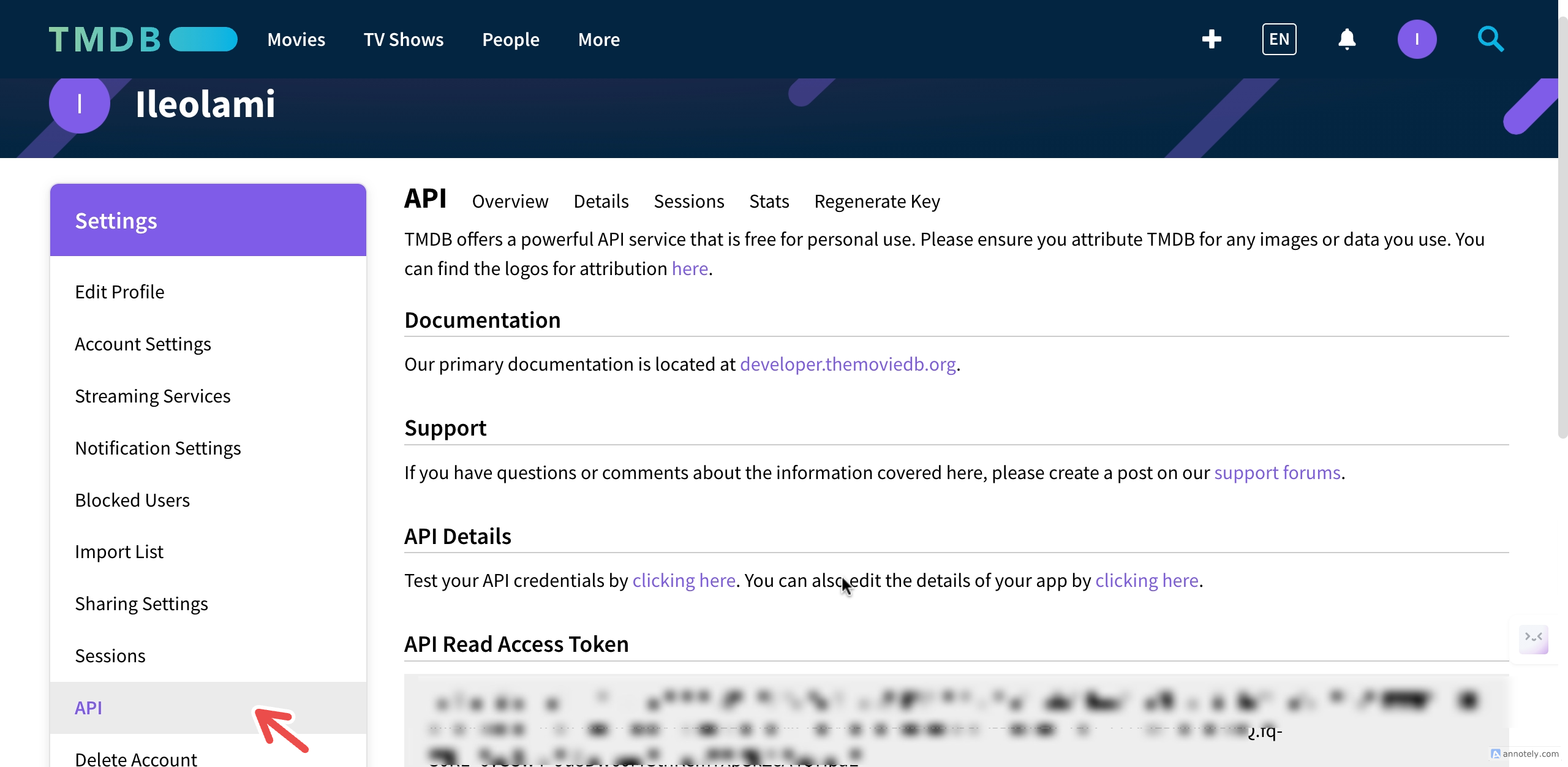
You can request an API key by logging into your TMDB account and clicking [here](https://www.themoviedb.org/settings/api).
## Bearer Token
The default method to authenticate is with your access token.
Go to your account page, under the `API settings` section, and you will see a new token listed called `API Read Access Token`. This token should be sent as an `Authorization` header.
 Here is a simple cURL example using this method:
```shell cURL example theme={null}
curl --request GET \
--url 'https://api.themoviedb.org/3/movie/11' \
--header 'Authorization: Bearer {ACCESS_TOKEN}'
```
Here is a simple cURL example using this method:
```shell cURL example theme={null}
curl --request GET \
--url 'https://api.themoviedb.org/3/movie/11' \
--header 'Authorization: Bearer {ACCESS_TOKEN}'
```